
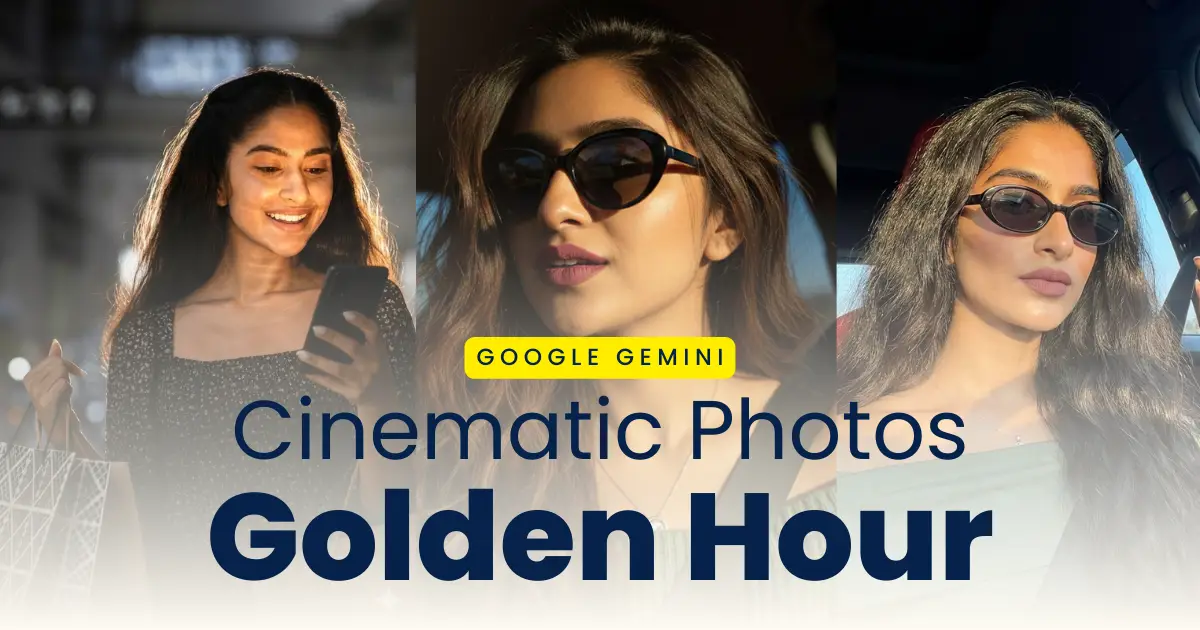
Are you also a photogenic person who loves taking cinematic photos and upload it to your Instagram posts and stories, Whatsapp status and Facebooks posts? A new trend golden hour cinematic effect has become viral on the internet today in 2026. You can easily create your cinematic golden hour effect photos with the help of Google Gemini Photo Editing and editing prompts. You can upload the AI generated photos and share it with your family and friends. You can create the trending photos in cinematic and aesthetic style with warm sunlight and soft shadows.
You can create high quality professional cinematic style photos like that of a professional editor and advanced editing tools in just a single click using the golden hour AI photo editing prompt. Google Gemini with the right prompt and instructions would help you create realistic cinematic studio style photos in just a single click. In this post, we provide the Viral Golden Hour AI photo editing prompts to create realistic stunning cinematic glow effect portraits that stands out among all and go viral, along with a step-by-step guide and clear instructions for the same.
Why Golden Hour Effect Image Prompts Are Going Viral
Golden hour photos are the images taken at the time of sunrise or sunset in which the effect of the sun hits the face and body of the person making it look cinematic. The photos taken during this period has the effect of the sun that appears warm, and diffused. The images generated with these prompts are realistic with natural golden lighting adding golden touch and highlights to the images like that of a professional photographer. The golden hour effect prompts:
- Helps you create Cineamtic and Aesthetic Photos with the sunlight effect
- Creates realistic studio style images in a single click
- You dont neet any editing skills or colour garding to enhance your photos
- You get DSLR like cinematic photos that that of a professional photographer
- Increases your social media enagenment with dreamy portraits
Trending Golden Hour Effect Photo Editing Prompts
If you are creating an image using AI photo eidting tools, you would need accurate and correct instructions to get the disired result. To make it simple for you, I have provided the best golden hour AI photo editing prompts:
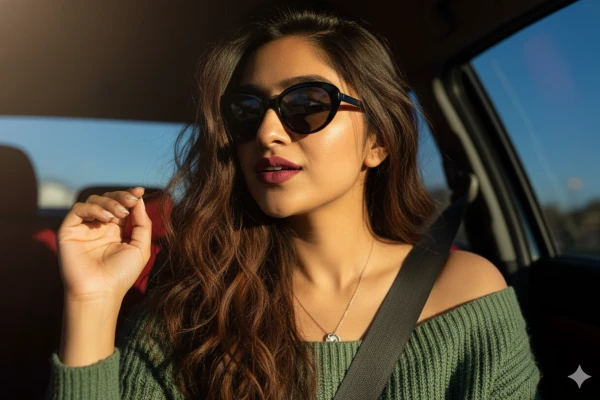
Golden Hour Cinematic Portrait Prompt: Using my original face 100% create A stylish woman is captured in a close-up, slightly angled shot inside what appears to be a car, with sunlight streaming in from the left, creating strong highlights on her hair and skin. She has long, wavy, rich brown hair that cascades over her shoulders, appearing a bit windswept. She is wearing dark, oval-shaped sunglasses. 1/2 Her makeup features a prominent, matte, deep rose or reddish-brown lipstick, and her skin appears smooth with subtle contouring, especially visible on her cheekbones and jawline, which are enhanced by the lighting. She is wearing a cozy gage green top, revealing her shoulders and collarbone. A delicate, possibly silver, necklace with a small pendant is visible. Her right hand is raised, with fingers slightly spread and relaxed, catching some of the golden light. The car interior is dark, with hints of a red seat and a seatbelt visible. A glimpse of the bright blue sky can be seen through the car window on the right"
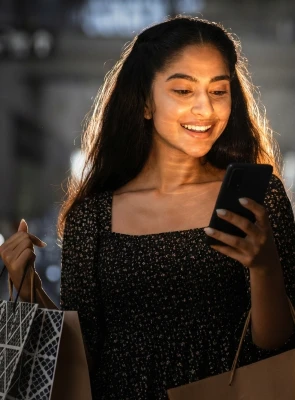
Cinematic Golden Hour Aesthetic Prompt: Apply a bold night-flash aesthetic to the uploaded photo while fully preserving every original detail of the photo unchanged except for lighting, glow, and color mood. Keep the nighttime environment dark, deep, and unlit, maintaining all existing shadows and silhouettes. Do not brighten or alter the background except for slightly enhancing existing point lights to keep the night atmosphere realistic. Illuminate the subject with a strong, warm, and direct front-facing flash. The flash should be drawn precisely to the face and upper body, making the subject the brightest element in the entire frame. Add diffused sunbeams striking the subject’s skin, creating a glowing highlight on cheekbones, nose bridge, lips, and hair strands. Maintain clear separation between bright sunlit areas and soft, deep shadows to create a cinematic high-contrast mood. Inject subtle lens bloom, light haze, and a thin layer of atmospheric glow around the face and shoulders. Render skin with luminous translucency
Steps to Create Cinematic Golden Hour Photos with AI
It is simple and easy to transform your normal image into cinematic photos with sunrise or sunset’s warmth in the photos. Follow these simple steps and create your golden hour portrait:
Step 1: Open Google Gemini app or website on your mobile browser.
Step 2: Copy the prompt provided aboveas per the photo you want.
Step 3: Upload a clear image in which your face is clearly visible.
Step 4: Paste the prompt in the message box.
Step 5: Make changes to the prompt if you want to change background, outfit, or mood.
Step 6: Click on the send button to generate your image.
Step 7: Click on the download button to save the image to your device.
With these steps you can easily create your cinematic photos with golden sunlight glow. You can then share it with your friends to go viral.
Tips for Best Golden Hour AI Results
Don’t limit your photos to simple ones, instead try experimenting with different custom styles to make it attractive and eye catching to grab viewer’s attention. Try these tips to get the realistic high quality cinematic shots:
- Always upload high quality image in which you face is clearly visible
- Do not use excessive lighting details, use natural lighting and theme
- Use different form of golden glow like cinematic, warmth, diffused or soft orange
- Use natural and simple background to get more focus on yourself
- Add Camera lens and portrait style to get film look.
Conclusion
Using the right prompt and your creativity you can transform you normal boring phtos into cinematic film look portraits. The golden hour photo ediitng style is going viral on the internet and you can easily create your without high quality camera, sunset or sunrise using Google Gemini AI photo editing and the prompt accordingly. The results of the generated image are stunning and beautiful with rich visuals, diffusion and warmth. The cinematic glow images are always a treat to watch and they continue to be one of the best image style for photographers which is why people want it in their photos.
Driving licence
Driving licence
Po
Pothuraju krishna
Driving licence
Thadigol
Narasimha
Kristina
Golden Hour Cinematic Portrait Prompt: Using my original face 100% create A stylish woman is captured in a close-up, slightly angled shot inside what appears to be a car, with sunlight streaming in from the left, creating strong highlights on her hair and skin. She has long, wavy, rich brown hair that cascades over her shoulders, appearing a bit windswept. She is wearing dark, oval-shaped sunglasses. 1/2 Her makeup features a prominent, matte, deep rose or reddish-brown lipstick, and her skin appears smooth with subtle contouring, especially visible on her cheekbones and jawline, which are enhanced by the lighting. She is wearing a cozy gage green top, revealing her shoulders and collarbone. A delicate, possibly silver, necklace with a small pendant is visible. Her right hand is raised, with fingers slightly spread and relaxed, catching some of the golden light. The car interior is dark, with hints of a red seat and a seatbelt visible. A glimpse of the bright blue sky can be seen through the car window on the right”
Arbaz saniya