
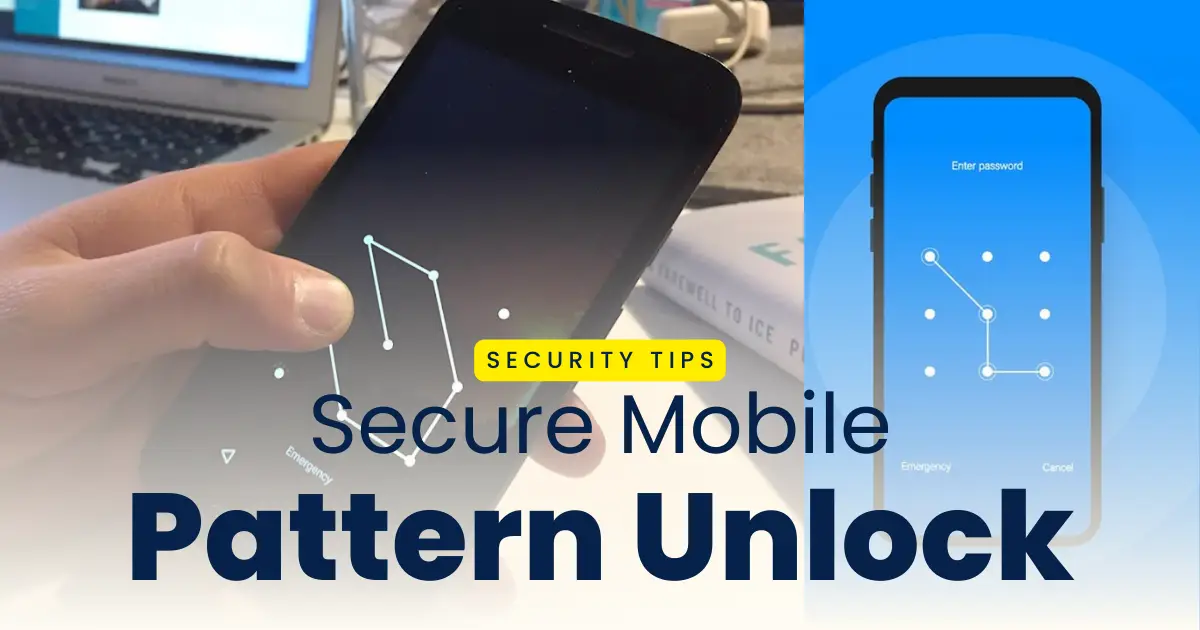
Are you also concerned about the security of your smartphone being compromised by someone and looking for a strong android pattern lock to unlock your mobile? You are not alone, as with the rising threat of online frauds and scams it becomes very important for you to adapt to a strong security measure to protect your phone’s data. The most important thing for you in this case is to use a strong mobile unlock pattern that is hard for anyone to guess, so that no one would be able to mess with your phone’s data.
Learn how to use gestures to unlock your mobile faster and lock apps on your phone.
If you are an android user looking for the best and storng mobile unlock patter to keep your samrtphone secured Android Pattern Lock Generator Online would help you in this case by reducing the risk of unauthorized access with hard to guess unlock patterns. In this post, we provide tips and a tutorial to generate hard-to-guess unlock patterns in 2026 with just a few clicks, along with the mobile security tips, a step-by-step guide and clear instructions.
Why Use a Pattern Lock Generator
In the generation where frauds, scams, data leaks and online activities such as social media connections, photography has been growing, people may be able to guess your phone lock pattern if not secured. It is very important for you to use a complex hard to guess pattern lock for your mobile and pattern lock generator helps you in this case as it:
- helps you create unique unlock patterns that are unique and hard to guess
- secures your device with complex patterns reducing the risk of pattern-guessing attaacks
- avoids common pattern styles and gives to complex one
- improves the security of your android mobile helps you protect your pesonal data
- protects your device form being accessed without your consent
How Android Pattern Lock Generators Work
Andoid pattern lock generator is an online tool that helps you generate unique, complex and strong mobile unlock patterns based on the 3×3 lock grid of your android mobile. The patterns generated by these tools are unique and secured as they avoid simple lines and commonly used shapes which reduces the risk of your lock being compromised by someone else except you.
The pattern lock generator uses algorithm that connects the dots in the anroid lock grid in a way that there is no repeating points in it with the use of longer paths and crossovers to make your phone’s security strong and reliable.
Steps to Use an Android Pattern Lock Generator Online
It is simple and easy to create your phone’s unlock pattern using an online android pattern lock generator as it just takes a few clicks for you to get a strong and secured mobile unlock pattern. However, you should only use trusted tools though to avoid phising activities. Follow the steps mentioned below to get your unlock pattern using an online tool.
Step 1: Open a trusted Android pattern lock generator app or website on your mobile.
Step 2: Select the grid style for your mobile (usually most android have 3×3).
Step 3: You can choose the numbers with which you want the dotts to be connected.
Step 4: Click on generate random secure pattern to get a unique pattern.
Step 5: Learn the pattern so that you don’t forget it later.
Step 6: Open you phone’s setting and go to lock screen and security.
Step 7: Set the genreated unique pattern as you new phone lock.
Step 8: Confirm the pattern by drawing it again and it would be enabled.
Note: Do not click on any external link or share your mobile information on any of those websites as they have nothing to with the pattern generation. The patterns are generated independently without any information about your smartphone and its data.
Tips to Create a Strong Android Pattern Lock
As discussed it is very much important for you to use a strong, unique and a complex pattern for your mobile lock screen so that someone doesn’t access your phone without your consent. There are some few things you should consider to create a strong, not guesable andunbreakable mobile lock to improve your android mobile’s protection:
- Avoid using short patterns, use at least 6–9 connected dots
- Avoid common shapes and letters that are easy to guess
- Do not start your pattern from the same corner, make it unique
- Keep changing your pattern from time to time to improve security
- Use face lock and fingerprint lock along with your mobile pattern
- Do not share your mobile pattern with anyone
Conclusion
An Android Pattern Lock Generator Online is a very useful and an effective security measure to keep your smartphone and its data safe and secured to maintain privacy with a strong security which is harder to bypass by anyone. If you are looking for a strong unlock pattern that is unique, strong and complex that are not predictable to prevent any unauthorized access to your device you can try the online pattern lock generator. These works exceptionally well when used legally and ethically without compromising the security of any other device.
Ration card
Sivabalu
Kavi
The beneficiary must be a citizen of India
He or she should have a valid ration card from the eligible category such as Priority, Antyodaya or any other eligible category
Your ration card should be linked with the bank account of the beneficiary
The income of the household must be below the income limit and criteria
The applicant should not have any reports in the society
Hi
Help us
Pattern Lock
Arun
Huuuuuu
Hello my Hide app lock for get plz unlock it
MaAdesha
My phone lock
Pattern lock
Pattern lock
Vi
Phone lock
Vu uh vinci
50
Nitheesh
Siva balu
Hii
Kajeelash
A
Pattern lock
Hi my lock
Help
lock
Santhosh
Pattern lock
Ch
Forgot my password
Jeeva
Forgat patten lock
Number lock
Oppo 5
Pattern lock
Pattan lock
Pattern lock
Sony
password
Help us
Pattern lock and research lock inform lock
Pattern lock
Pattern lock
Pattern lock
Vivo
Pattern
App password
Password
super
👍
Phone marathuda please don’t question
My parrte lock
Aaron
Vanitha
Vivo
Download
Pettenn
Password
Oppo
Prem Kumar
Pattern lock
Lock
Hiiiii
Pattern lock
Vivo 30e
My screen lock
Pattern lock
Pattern lock vivo y17s
My phone
Good job
Pattern lock
Pettran lock
Oppo
Re
dmi
I will not replace the lock you will help me
Pattern lock
Pattern lock
Phone lock
Not unlock
Pasword
Help app
How to unlock phone
No comments
Pattern lock
KARTHIK
Okay 👍
Lock
I forgot my pasword
Mobile password unlock
Pattern lock
Naveen kumar
Pattern lock
Pattern lock
Pattern lock
பட்டேர்ன் லாக் download
Pattern lock
How to download app not for app download please download videos send me
SnmsunG
Hi
Pattern lock
Pattern lock
I have forget the phone password o want to change now
Settings
Pattern lock
Vivo
VinayKumar
Vovi look
Unlock phone
Vivo
Unlock
I forgot my password pattern lock
Vivo
Pattern lock
Questionable
I am
Please
Look
Suhkram sinhg
Hi
I have forgotten my password what will you do?
Pattern lock open my mobile
Msthan
🥺🥺🥺
Rass
Patter lock
Hi bro one day we t t t shirts and the next🎒📚 to get a
My friend phonu 🔒
Pattern lock
Nithyashree
Super
Open lock pettern